09/21/2025
New Feature! Auto OCO Brackets are now available!
Auto OCO Brackets
Auto OCO Brackets let you configure entry, take-profit (TP), stop-loss (SL), and multiple targets per order entry—giving finer, order-level control over risk.
What’s new?
Order-based brackets: TP/SL link to each individual entry order (no forced averaging).
Multi-target exits: Set multiple TP/SL targets at different price levels.
Saved strategies: Create and name multiple bracket setups; switch as needed.
Pre-trade visibility: See a visual overlay of suspended TP/SL on Chart and DOM before execution.
Hands-on scaling: Scale in/out with per-order precision.
Why it matters
For active traders and scalpers, order-level control enables precise scaling and tighter risk management per strategy and account.
How to enable
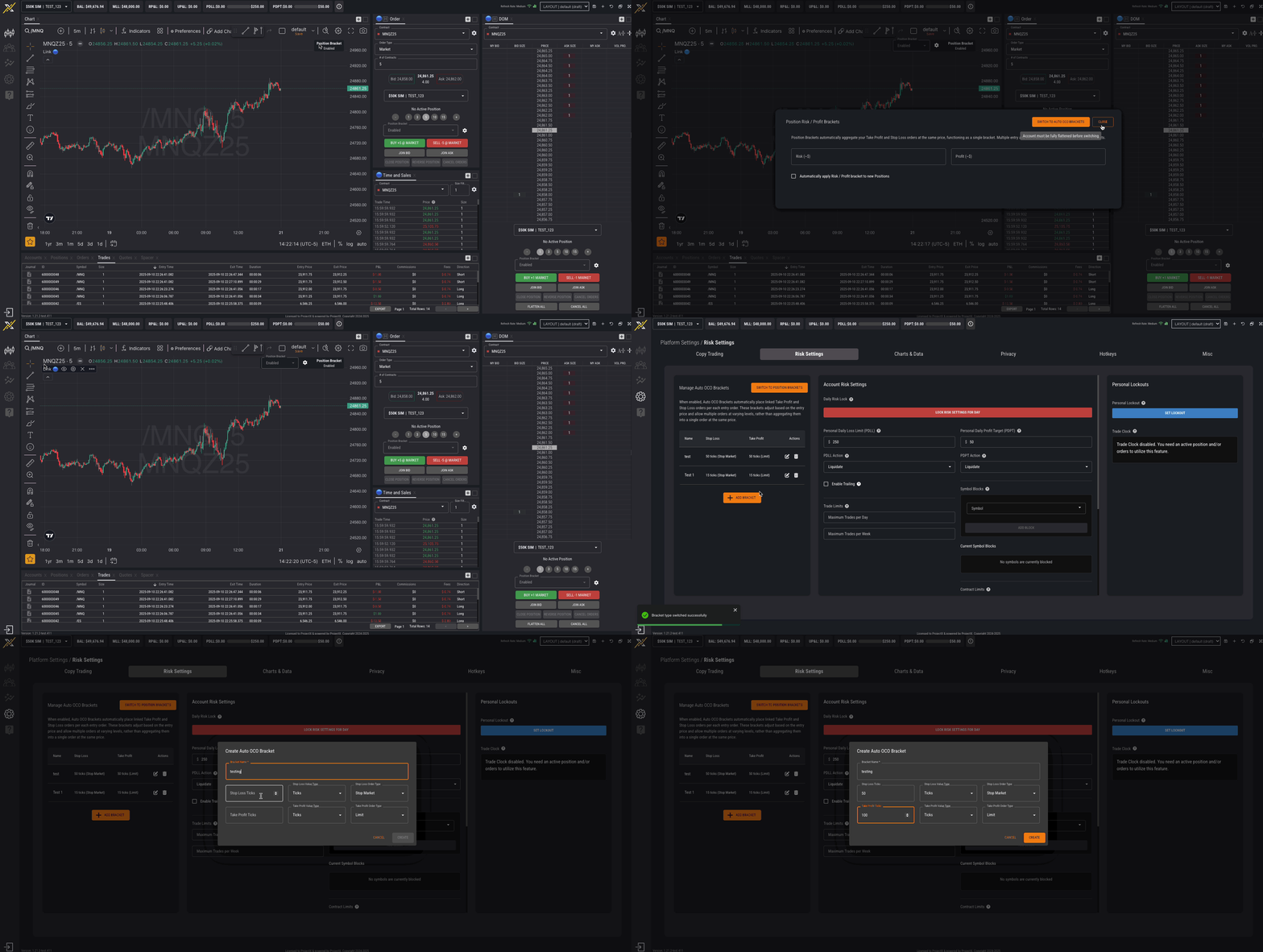
Go to Settings → Risk Settings.
Switch Bracket Type to Auto-OCO Brackets.
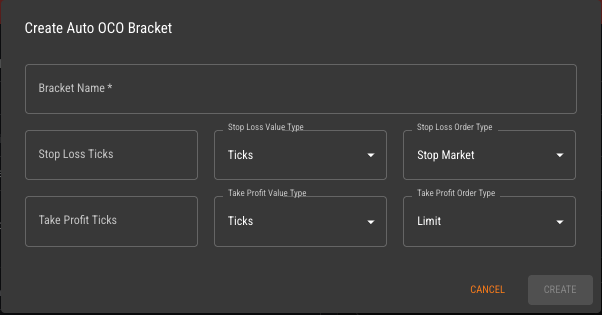
Configure and Save your Auto-OCO strategy.
Note: You must be flat (no open positions and/or working orders) to switch bracket types.
You can switch from supported order entry components (Chart, Order Card, DOM).
Using Auto-OCO Brackets
Set TP/SL in ticks or $ (% and points coming soon!)
Drag & drop TP/SL on working Limit/Stop orders.
View TP/SL overlay on DOM before placing the order.
How this differs from Position Brackets
Position Brackets (position-based): auto-aggregate to average entry
Auto-OCO (order-based): per-order TP/SL, multiple targets, advanced control.
Stop type (current): all stop-loss orders are Stop Market order types.
Coming soon: Trailing Stop, Auto Break-Even, Stop Limit as available Stop Loss order types.