09/7/2025
New! Position Brackets Are Now Account-Based!
What Changed?
Previously, when you enabled ProjectX Position Brackets, the same Risk (i.e., Stop Loss) and To Make (i.e., Take Profit) settings were applied globally across all of your trading accounts.
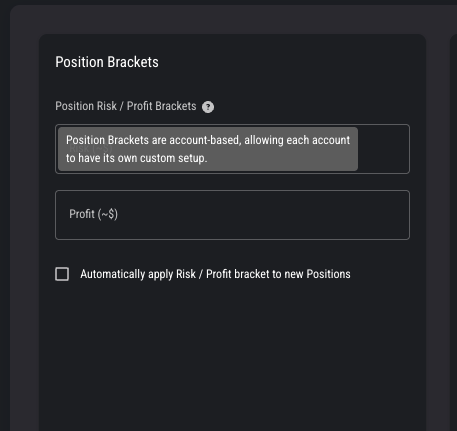
With this update, ProjectX Brackets are now account-based, meaning you can set up and save unique bracket configuration per account - giving you more flexibility and control over your trading strategies per account.
What Happens to My Current Settings
Upon release, your previous saved global bracket setup will apply as you last saved it
Any new changes you make to your Position Brackets will only apply to the account you have selected and are viewing
What This Means for You
How to Use Account-Based Brackets
Go to Settings -> Risk Settings
Configure SL/TP: Enter your Risk (i.e., Stop Loss) and To Make (i.e., Take Profit) levels
Enable ProjectX Brackets
Save
Why This Matters
Many traders operate different strategies across accounts - such as scalping or long-term trend following. With account-based brackets, you can:
Maintain distinct configurations for funded vs. evaluations accounts
Avoid accidental overwrites of your preferred SL/TP setup when switching accounts