there’s no options to add favorite tools in the mobile chart (star shape)
I think it’s really needed.
also, chart setting does not saves in mobile, as I have to adjust everything on mobile chart(magnet on, adjust line color, etc…) every single time I open topstepX… plz fix them
can you guys please make it so if we save our favorite tools to our tool bar pop up they stay their everytime we open up the platform also same thing with the time frames. its kinda annoying hen we have to select and favorite all our time frames and tools everytime we open up the app instead of all our favorited tools allready being their when the app opens up
Mike Z
•
Oct 15, 2024
I agree. I made a post similar to this too. On mine one or two favs save and the rest just go away every time i open. So annoying.
Gareth Blackburn
•
Feb 27, 2024
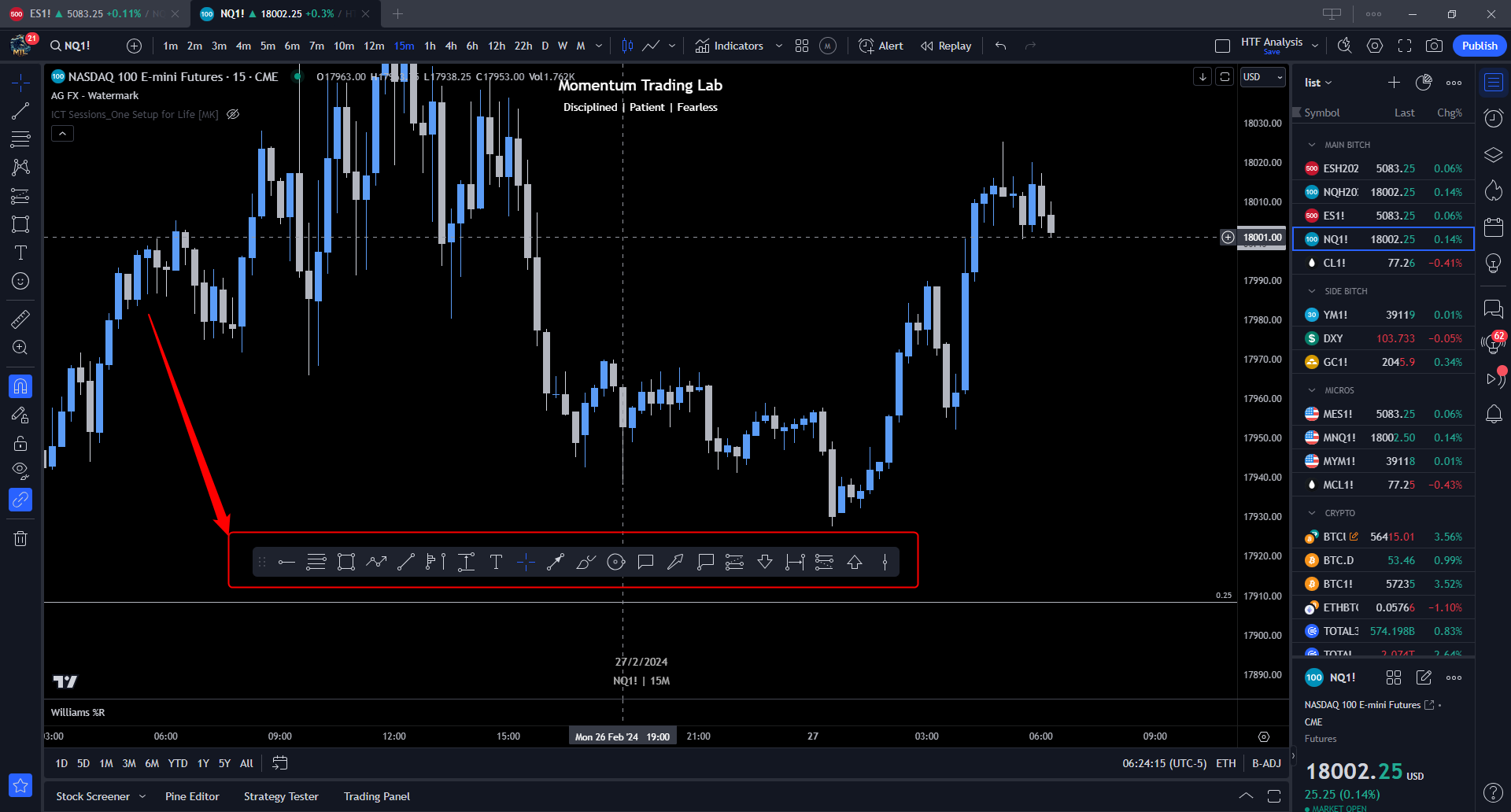
The favourites toolbar is already on? Scroll down the right of the screen and click the favourites star icon.
Log in to comment and vote
Comments5
Daiz
Jun 23
•Merged request
•1 vote
Add favorite tools in mobile chart
there’s no options to add favorite tools in the mobile chart (star shape)
I think it’s really needed.
also, chart setting does not saves in mobile, as I have to adjust everything on mobile chart(magnet on, adjust line color, etc…) every single time I open topstepX… plz fix them
Dillon Vogan
Jun 23
•Merged request
•2 votes
tools bar
can you guys please make it so if we save our favorite tools to our tool bar pop up they stay their everytime we open up the platform also same thing with the time frames. its kinda annoying hen we have to select and favorite all our time frames and tools everytime we open up the app instead of all our favorited tools allready being their when the app opens up
Mike Z
Oct 15, 2024
I agree. I made a post similar to this too. On mine one or two favs save and the rest just go away every time i open. So annoying.
Gareth Blackburn
Feb 27, 2024
The favourites toolbar is already on? Scroll down the right of the screen and click the favourites star icon.
Gareth Blackburn
Feb 27, 2024
Sorry, left of the screen, not right!